
QC-VC – QC Verdict Collector#
QC-VC Tutorial#
Overview#
The QC Verdict Collector is built to combine the verdicts of individual QC operations in a batch (dB‑Lab Object). The tool will provide an overall verdict of the batch and to log the results. By combining the verdicts of multiple QC operations, it is possible to set up complex tests with different audio interfaces or sample rates and to display the measurement results in separate windows.
Getting started#
Example#
A batch with multiple QC operations is defined to assess the correct working of a unit.
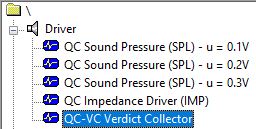
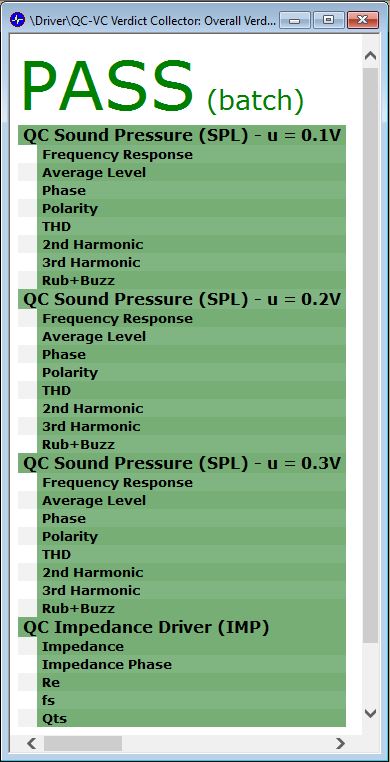
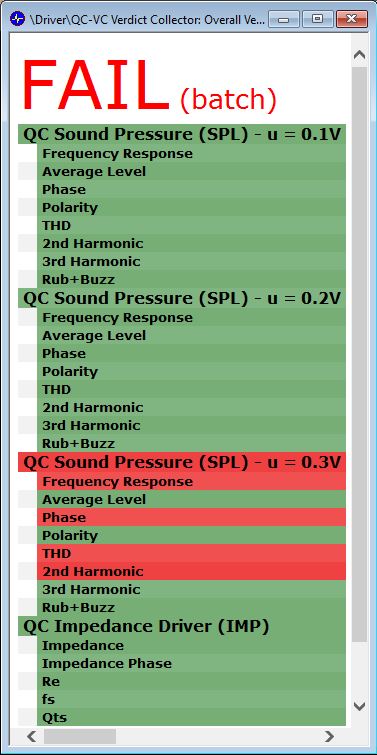
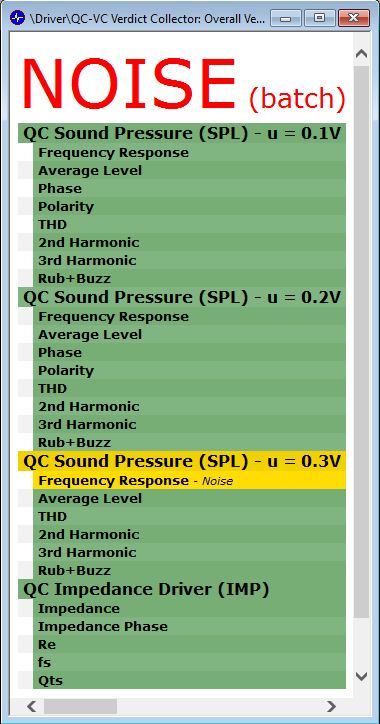
The last operation is the Verdict Collector, which will show a summary of the individual measurements perform in the batch and an overall verdict. If the device under test fails a measurement or an external noise corrupts the measurement, the overall verdict will be FAIL or NOISE respectively. On the other hand, the measurements set will be catalogued as PASS if every single measurement is passed by the device:
Note
The position of the verdict collector is important. The verdicts of all QC operations before the collector’s current position are collected. OC operations located behind the collector are not considered since the verdict is not yet available when run in a batch.
QC-VC Reference#
Parameter#
Source Operations#

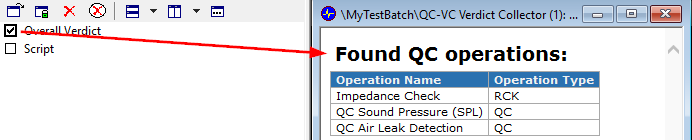
- Refresh database information:
Button to refresh the available operations by re-reading the database.
The found operations are listed in the HTML window of the operation
Data Logging#
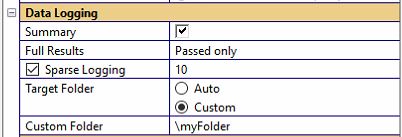
- Summary:
Create a summary log file that keeps the main information of all DUTs (one line per DUT).
- Full Results
create an individual data file for each DUT that keeps the complete measurement results. Available modes:
Off
All (default)
Passed only
Failed only
Separated by verdict
Separated by classification
- Sparse logging
Save only every nth passed DUT. Only available for Full Results – Passed only, Separated by verdict and Separated by classification.
- Target Folder
Sets the target log folder path mode. Two available modes:
Auto: Subfolder Log in test folder
Custom: Specify folder in file system
- Custom folder
For Target Folder = Custom only
Result Windows#
Overall Verdict#
The Overall Verdict window collects the resulted verdicts of each individual operation and indicates if the device has passed the measurements through the overall verdict, which is displayed in the upper part of the window. The verdicts of each independent operation are displayed in a table below, where the verdicts of the selected measured are shown too.
- PASS
The measured device is OK and within the set limits. All the individual verdicts dis-played below must have passed (displayed green) in this case.
- FAIL
The measured device has violated one or more limits. The parameters that violate the limits are colored red in the result table.
- NOISE
The measurement was corrupted by ambient noise. Repeat the test.
- WARNING
The test has passed, but one or more warning conditions have been triggered.
- INVALID
The test is invalid because serious errors have occurred (e.g. microphone clipping).
- VOID
No limits have been defined, the test result is neutral.
Since different verdicts can be obtained in the measurements performed in the batch, the overall verdict is defined through a verdicts hierarchy:
INVALID verdict
FAIL verdict
NOISE verdict
WARNING verdict
PASS verdict
VOID verdict
The overall verdict will be then INVALID if there is at least one individual invalid verdict. In the same manner, the FAIL verdict will be obtained if there is no invalid operation in the batch and there is at least one FAIL verdict in an individual measurement. Finally, the overall verdict will be VOID if all the measurements in the batch are void.
